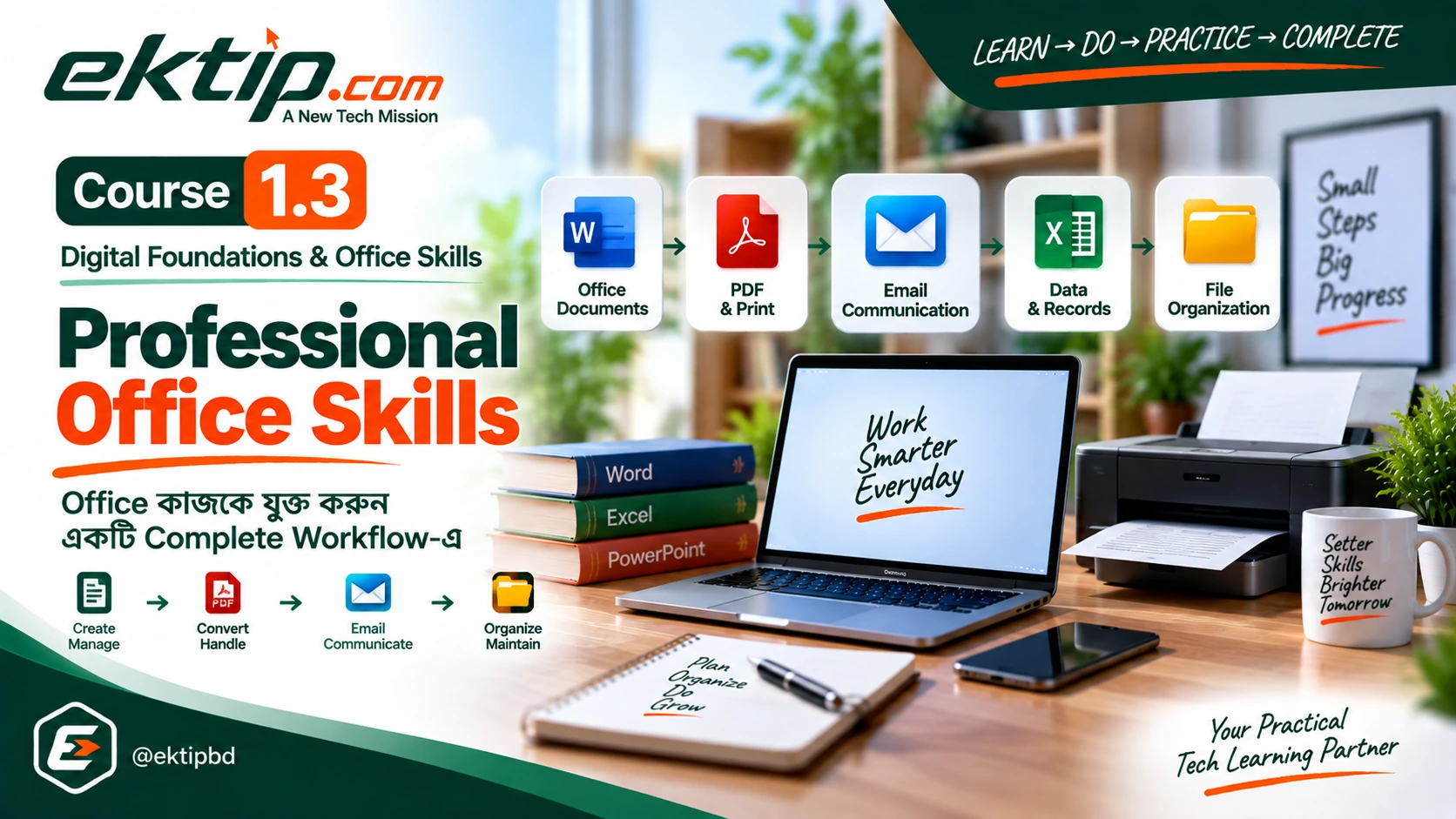
Digital Foundations & Office Skills
Professional Office Skills
আগে শেখা Microsoft Office capabilities-এর সঙ্গে PDF, Email, data, records ও file organization-এর practical skills connect করে end-to-end professional office workflow পরিচালনা করতে শিখুন।
Course Level: Office Application User → Professional Office Workflow User
Office-এ practical কাজ সাধারণত একটি application-এর মধ্যেই শেষ হয় না। একটি task-এর জন্য Word-এ Document তৈরি করতে হতে পারে, Excel-এ data বা record রাখতে হতে পারে, PowerPoint-এ Presentation প্রস্তুত করতে হতে পারে, Document PDF করতে হতে পারে, Email-এর মাধ্যমে পাঠাতে হতে পারে এবং সবশেষে Files ও Documents এমনভাবে organize করতে হয় যেন পরে সহজে identify ও track করা যায়।
Professional Office Skills Course-টি এই connected কাজগুলোর ওপর focus করে। এখানে Word, Excel ও PowerPoint-এর foundation নতুন করে শেখানো হবে না। বরং আগে শেখা Office capabilities-এর সঙ্গে PDF, printing/scanning, professional Email, data entry, office records, file naming, versioning ও document organization যুক্ত করে একটি complete professional office workflow পরিচালনার দিকে এগোবেন।
এই Course কার জন্য
এই Course সেই learner-এর জন্য, যিনি Microsoft Word, Excel ও PowerPoint-এর প্রয়োজনীয় practical কাজ করতে পারেন এবং এখন আলাদা application-এর skill-গুলোকে real office workflow-এর মধ্যে connectedভাবে ব্যবহার করতে চান।
বিশেষভাবে, office document handling, professional communication, structured information ও records, organized file management এবং একাধিক office tool-এর মধ্যে information flow পরিচালনার practical capability তৈরি করতে চাইলে এই Course সেই পরবর্তী learning stage।
এই Course শুরু করার আগে
Required / Expected Foundation
Course 1.2 — Microsoft Office-এর relevant Word, Excel ও PowerPoint capabilities অথবা equivalent practical skills থাকা প্রয়োজন। অর্থাৎ Word-এ practical Document, Excel-এ practical office sheet এবং PowerPoint-এ practical Presentation তৈরি ও ব্যবহার করার প্রয়োজনীয় capability থাকতে হবে।
Recommended Foundation
Course 1.1 — Computer Fundamentals অথবা equivalent independent computer-use capability recommended। Windows navigation, file management, common software use এবং basic safe computer operation-এর practical capability থাকলে এই Course অনুসরণ করা সহজ হবে।
কেন এই Course শেখা দরকার
Word, Excel বা PowerPoint আলাদাভাবে ব্যবহার করতে পারা গুরুত্বপূর্ণ, কিন্তু professional office work-এ প্রায়ই একটি task বিভিন্ন tool ও information-এর মধ্যে চলাচল করে। Document তৈরি করার পর PDF output প্রয়োজন হতে পারে, কোনো physical document scan করতে হতে পারে, Email-এর মাধ্যমে document communicate করতে হতে পারে এবং related Files-এর multiple versions organizedভাবে রাখতে হতে পারে।
এই Course-এর লক্ষ্য তাই নতুন Office application শেখানো নয়। লক্ষ্য হলো appropriate tool বেছে নেওয়া, documents ও data handle করা, information organize করা, professionally communicate করা এবং relevant tools-এর মধ্যে কাজ connect করে একটি common office task শুরু থেকে শেষ পর্যন্ত পরিচালনা করার capability তৈরি করা।
LEARN → DO → PRACTICE → COMPLETE
Course শেষে কী করতে পারবেন
- PDF-এর common office use এবং office document-এর প্রয়োজনীয় PDF workflow পরিচালনা করতে পারবেন।
- Office document print-এর জন্য prepare করতে এবং physical document scan করে digital workflow-এ ব্যবহার করতে পারবেন।
- Professional Email তৈরি ও পাঠানোর পাশাপাশি office document-এর সঙ্গে Email ব্যবহার করে document communication পরিচালনা করতে পারবেন।
- Office information structuredভাবে data entry করে organized office records তৈরি ও manage করতে পারবেন।
- Professional file naming, versioning ও document organization ব্যবহার করে Files ও Documents identify, track এবং organizedভাবে manage করতে পারবেন।
- Word, Excel, PowerPoint, PDF ও Email-এর relevant capabilities প্রয়োজন অনুযায়ী connect করে tool-to-tool information flow পরিচালনা করতে পারবেন।
- সব শেখা capabilities একত্রে ব্যবহার করে একটি practical end-to-end professional office workflow independently পরিচালনা করতে পারবেন।
Course কীভাবে সাজানো হয়েছে
এই Course-এ মোট 5টি Part এবং 12টি Lesson রয়েছে। প্রথমে PDF ও office document handling, এরপর professional Email communication, data entry ও office records, file/document organization এবং সবশেষে integrated professional office workflow শেখানো হবে।
Progression এমনভাবে সাজানো হয়েছে যাতে learner প্রথমে individual workflow capabilities তৈরি করে, তারপর সেগুলো connect করে tool-to-tool information flow বুঝতে পারে এবং শেষে একটি complete end-to-end office workflow পরিচালনা করতে পারে।
Complete Course Roadmap
PART 1 — PDF ও Office Document Handling
PDF এবং printing/scanning ব্যবহার করে office document-এর common digital output এবং physical ↔ digital handling capability তৈরি করবেন।
LESSON 1 — PDF-এর Basic Office Use
Professional office workflow-এ PDF-এর purpose এবং office document-এর সঙ্গে PDF-এর practical use বুঝে প্রয়োজন অনুযায়ী ব্যবহার করতে শিখবেন।
LESSON 2 — Document Printing
Office document প্রয়োজন অনুযায়ী print করার জন্য prepare করে প্রয়োজনীয় output settings অনুযায়ী practical printing workflow অনুসরণ করতে পারবেন।
LESSON 3 — Document Scanning
Physical document scan করে digital document হিসেবে practical office workflow-এ ব্যবহার করতে শিখবেন।
Part 1 Capability
Digital Document Use → Print Preparation & Output → Physical-to-Digital Document Handling
PART 2 — Professional Email Communication
Professional office communication-এর জন্য Email তৈরি, organize এবং office document-এর সঙ্গে ব্যবহার করার capability গড়ে তুলবেন।
LESSON 4 — Professional Email তৈরি ও পাঠানো
Office context অনুযায়ী professional Email-এর content organize করে sending workflow অনুসরণ করতে শিখবেন।
LESSON 5 — Email-এর মাধ্যমে Office Document Communication
Office document-এর সঙ্গে Email ব্যবহার করে professional document-based communication পরিচালনা করতে পারবেন।
Part 2 Capability
Professional Message → Send → Document-Based Communication
PART 3 — Data Entry ও Office Records
Office information সঠিকভাবে entry, organize এবং record হিসেবে পরিচালনার foundational practical capability তৈরি করবেন।
LESSON 6 — Professional Data Entry
Office information structured ও consistentভাবে entry এবং organize করতে শিখবেন।
LESSON 7 — Office Records তৈরি ও পরিচালনা
Entered office information ব্যবহার করে organized practical office record তৈরি ও manage করতে পারবেন।
Part 3 Capability
Office Information → Structured Data Entry → Consistent Organization → Office Record → Practical Record Handling
PART 4 — File ও Document Organization
Professional office Files ও Documents সহজে identify, track এবং organize করার capability গড়ে তুলবেন।
LESSON 8 — Professional File Naming
Office workflow অনুযায়ী Files consistent ও identifiableভাবে নামকরণ করতে শিখবেন।
LESSON 9 — File Versioning
একই office File-এর পরিবর্তিত multiple versions consistentভাবে identify, name ও track করতে পারবেন।
LESSON 10 — Document Organization
Related office Documents-কে naming ও versioning-এর সঙ্গে মিলিয়ে logical organized structure-এর মধ্যে manage করতে শিখবেন।
Part 4 Capability
Identify → Name Consistently → Track Versions → Organize Related Documents → Manage Document Structure
PART 5 — Integrated Professional Office Workflow
Word, Excel, PowerPoint, PDF, Email এবং শেখা office information-handling capabilities একত্রে ব্যবহার করে connected professional office workflow পরিচালনার capability তৈরি করবেন।
LESSON 11 — Office Tools-এর Integrated Workflow
Professional office task অনুযায়ী Word, Excel, PowerPoint, PDF ও Email-এর role বুঝে tools-এর মধ্যে connected information flow organize ও follow করতে শিখবেন।
LESSON 12 — Real Professional Office Workflow
আগে শেখা relevant capabilities একত্রে ব্যবহার করে documents, data, records, PDF, Email ও organized Files সমন্বিত একটি complete professional office workflow শুরু থেকে শেষ পর্যন্ত independently পরিচালনা করবেন।
Part 5 Capability
Understand Tool Roles → Connect Tools → Manage Information Flow → Integrate Office Capabilities → Complete End-to-End Workflow
শেখার practical progression
Course-এর progression individual Office application use থেকে শুরু হচ্ছে না; সেই foundation আগে থেকেই expected। এখানে শেখার progression হলো office information ও documents handle করা থেকে শুরু করে বিভিন্ন tool-এর মধ্যে information flow connect করে একটি complete workflow পরিচালনার দিকে এগোনো।
Office Application Capability → PDF & Document Handling → Printing & Scanning → Professional Email Communication → Structured Data Entry → Office Records → Professional File Naming → File Versioning → Document Organization → Tool-to-Tool Information Flow → Integrated Office Workflow → End-to-End Professional Office Workflow
একটি complete workflow কীভাবে এগোয়
Course-এর শেষ পর্যায়ে আলাদা আলাদা capability একটি connected workflow-এর অংশ হিসেবে ব্যবহার করা হবে। Approved end-to-end workflow model হলো:
Understand Task → Identify Required Information → Select Appropriate Tool → Create / Use Document or Data → Organize Information → Produce Required Output → Communicate / Transfer → Name & Version → Organize Records / Documents → Verify → Complete Workflow
Courseটি কীভাবে অনুসরণ করবেন
Required Microsoft Office foundation থাকলে LESSON 1 থেকে approved order অনুসরণ করুন। প্রথম চারটি Part-এর প্রতিটি capability আলাদাভাবে practice করুন, কারণ Part 5-এ এগুলো relevant Word, Excel ও PowerPoint capabilities-এর সঙ্গে connectedভাবে ব্যবহার করা হবে।
প্রতিটি Lesson-এর Practice Direction অনুযায়ী realistic office context-এ নিজে কাজ করার চেষ্টা করুন। শুধু কোনো command বা process মনে রাখার পরিবর্তে input, document, information, output এবং communication কীভাবে এক stage থেকে অন্য stage-এ যাচ্ছে সেটি observe করুন।
শেষ দুইটি Lesson-এ নতুন foundational Word, Excel, PowerPoint, PDF, Email বা file-management skill শেখানোর পরিবর্তে আগে শেখা relevant capabilities connect ও apply করা হবে। তাই আগের Lessons-এর practical capability তৈরি করেই integrated workflow-এ এগোনো গুরুত্বপূর্ণ।
Course Completion
Course সম্পন্ন করার মাধ্যমে লক্ষ্য থাকবে common professional office workflow-এর প্রয়োজনীয় components আলাদাভাবে ব্যবহার করার পাশাপাশি সেগুলোকে connectedভাবে পরিচালনা করতে পারা।
Office Application User → Office Document Handler → Professional Communicator → Office Information & Record Handler → Organized File & Document User → Connected Office Tools User → Professional Office Workflow User
এখানে Professional Office Workflow User মানে advanced Office specialist, system administrator বা automation developer হওয়া নয়। এর অর্থ হলো common professional office workflow independently পরিচালনা করতে পারা এবং নিজের capability-এর বাইরে specialized requirement হলে appropriate assistance বা escalation প্রয়োজন তা বুঝতে পারা।
এই Course-এর learning boundary তাই পরিষ্কার: Course 1.1 Computer ব্যবহার করার practical foundation তৈরি করে, Course 1.2 Office applications ব্যবহার শেখায়, আর Course 1.3 Office applications-এর সঙ্গে information, documents ও communication একত্রে professional workflow-এ ব্যবহার করতে শেখায়।
শুরু করুন
LESSON 1 থেকে শুরু করুন
PDF-এর Basic Office Use দিয়ে professional office workflow-এর প্রথম practical capability তৈরি করুন।