Digital Foundations & Office Skills
Computer Fundamentals Course in Bangla
একেবারে zero-level থেকে Computer বুঝে common computer tasks নিরাপদে ও ধীরে ধীরে নিজে করার practical foundation তৈরি করুন।
Course Level: Zero → Independent Computer User
Computer ব্যবহার শেখা মানে শুধু Mouse চালানো, Keyboard-এ লেখা বা কোনো App খোলা শেখা নয়। বাস্তবে একটি Computer ব্যবহার করতে হলে Computer কী ও কী কাজে লাগে, Hardware ও Software কীভাবে কাজ করে, Device কীভাবে connect করতে হয়, Windows কীভাবে navigate করতে হয় এবং File, Folder, Storage ও Software কীভাবে manage করতে হয়—এসব বিষয় একসঙ্গে বুঝতে হয়।
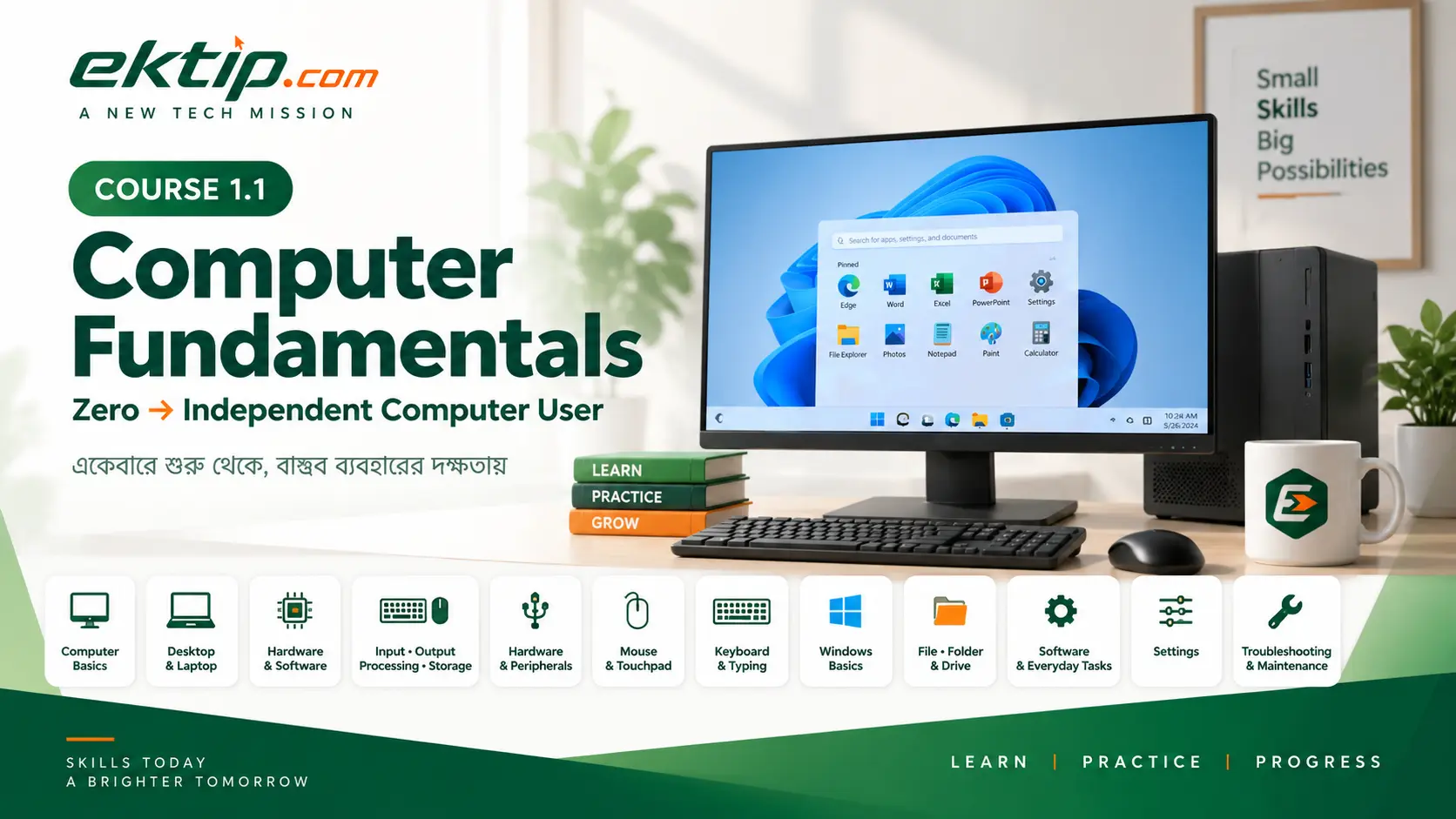
Computer Fundamentals Course-টি এই শেখার পথকে foundation থেকে ধাপে ধাপে সাজিয়েছে। শুরুতে Computer সম্পর্কে মৌলিক ধারণা তৈরি হবে। এরপর Hardware, Ports, Mouse, Touchpad, Keyboard, Windows, File management, Storage, Software, everyday work, Settings, troubleshooting ও maintenance শিখে শেষে একটি common computer-use session নিরাপদে নিজে পরিচালনা করার দিকে এগোবেন।
Computer Fundamentals Course Roadmap
PART 1 — Computer Foundation
Computer কী, কী কাজে লাগে, Desktop/Laptop কী এবং Hardware, Software ও Computer-এর basic functions কীভাবে একটি working computer system তৈরি করে—তার foundational understanding তৈরি করবেন।
Lesson 1 — Computer কী এবং কী কাজে লাগে
Computer কী এবং common everyday কাজে Computer কীভাবে মানুষের instruction ও data ব্যবহার করে কাজ সম্পন্ন করতে সাহায্য করে—তার basic ধারণা তৈরি করবেন।
Lesson 2 — Desktop ও Laptop Computer
Desktop ও Laptop Computer চিনে তাদের basic structure, পার্থক্য এবং common use situations বুঝবেন।
Lesson 3 — Hardware ও Software
Hardware ও Software আলাদা করে চিনে Computer system-এ দুটির basic relationship বুঝবেন।
Lesson 4 — Input, Processing, Output ও Storage
Input, Processing, Output ও Storage-কে Computer-এর basic functions হিসেবে বুঝে common computer activities-এর সঙ্গে মিলাতে পারবেন।
PART 2 — Hardware, Peripherals ও Connections
Common computer hardware ও peripherals চিনে তাদের purpose বুঝবেন এবং common ports ব্যবহার করে প্রয়োজনীয় Device safely connect করার foundation তৈরি করবেন।
Lesson 5 — Computer Hardware ও Peripherals
System Unit, Monitor, Keyboard, Mouse, Printer, Speaker/Headphone, Webcam ও Microphone-এর মতো common Hardware ও Peripherals চিনে তাদের basic purpose বুঝবেন।
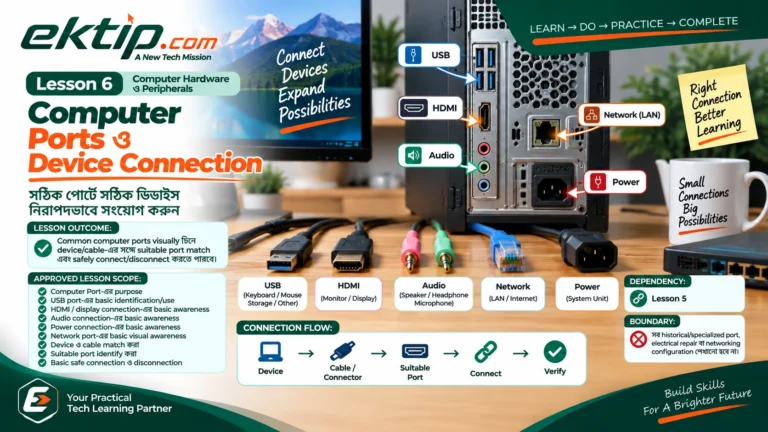
Lesson 6 — Computer Ports ও Device Connection
Common Computer Ports visually চিনে Device ও Cable/Connector-এর সঙ্গে suitable Port match করে নিরাপদে connect ও disconnect করতে শিখবেন।
PART 3 — Mouse, Touchpad, Keyboard ও Typing
Computer control এবং text entry-এর জন্য প্রয়োজনীয় core physical interaction skill তৈরি করবেন।
Pointer movement, Left Click, Double Click, Right Click, Scroll, Click and Drag ও basic selection-এর মতো common Mouse actions করতে শিখবেন।
Lesson 8 — Laptop Touchpad ব্যবহার
Laptop Touchpad ব্যবহার করে pointer, click, scroll, drag এবং relevant basic gesture actions করতে পারবেন।
Lesson 9 — Keyboard ও Essential Keys
Keyboard-এর গুরুত্বপূর্ণ key groups চিনে common computer operations ও text entry-তে প্রয়োজন অনুযায়ী ব্যবহার করতে শিখবেন।
Lesson 10 — Basic Typing ও Keyboard Use
Keyboard ব্যবহার করে basic text accurately type, correct এবং navigate করার foundation তৈরি করবেন।
PART 4 — Windows ও Desktop Navigation
Windows computer session safely শুরু ও শেষ করা এবং Desktop, Start Menu, Taskbar ও application windows navigate করতে শিখবেন।
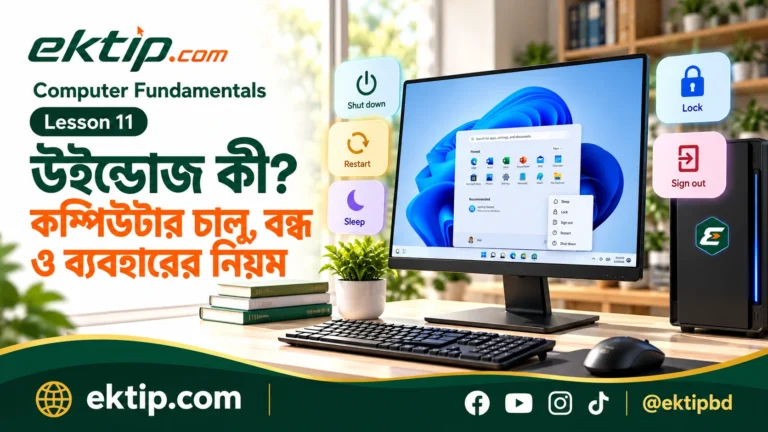
Lesson 11 — Windows ও Computer Session
Windows-এর basic role বুঝে Computer session start, access এবং প্রয়োজন অনুযায়ী Sleep, Lock, Sign out, Restart বা Shut down ব্যবহার করতে শিখবেন।
Lesson 12 — Desktop, Start Menu ও Taskbar
Windows-এর main navigation areas ব্যবহার করে common Apps, Files ও system areas access করতে পারবেন।
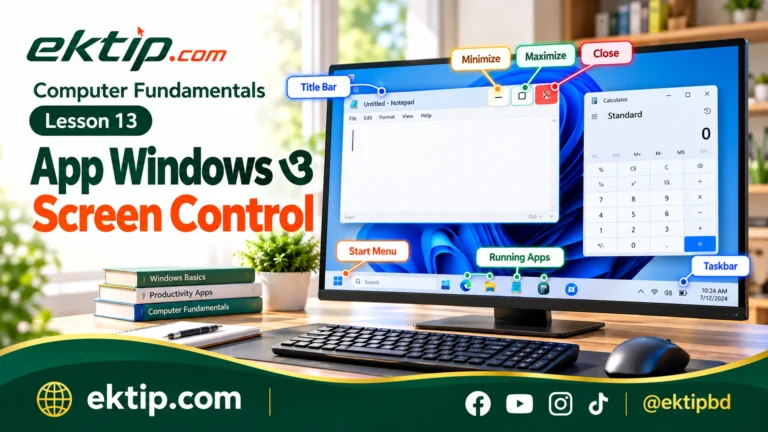
Lesson 13 — App Windows ও Screen Control
Application Window-এর common controls ব্যবহার করে open work screen basicভাবে manage করতে শিখবেন।
PART 5 — File Explorer, Files, Folders ও Drives
Windows storage environment navigate করে Files, Folders ও Drives locate, create, organize এবং manage করার practical capability তৈরি করবেন।
Lesson 14 — File Explorer ব্যবহার
File Explorer খুলে common locations, Folders ও Drives navigate এবং stored content browse করতে শিখবেন।
Lesson 15 — File, Folder ও Drive বোঝা
File, Folder ও Drive-এর পার্থক্য ও relationship বুঝে stored content-এর basic location চিনতে পারবেন।
Lesson 16 — File ও Folder তৈরি, Rename ও Delete
Common File/Folder creation ও management actions safely perform করতে পারবেন।
Lesson 17 — Copy, Cut, Paste ও Move
Files ও Folders Copy বা Move করে different locations-এর মধ্যে content safely organize করতে শিখবেন।
Lesson 18 — File Search, Selection ও Organization
Files/Folders locate, select এবং logical locations-এ organize করার practical skill তৈরি করবেন।
PART 6 — Storage ও Software Management
Computer Storage-এর practical concept বুঝে available space সম্পর্কে awareness তৈরি এবং Software/App-এর common lifecycle safely manage করতে শিখবেন।
Lesson 19 — Computer Storage বোঝা
Common storage types ও capacity বুঝে Files কোথায় থাকে এবং available storage space-এর basic condition বুঝতে পারবেন।
Lesson 20 — Software ও Apps ব্যবহার ও Manage করা
প্রয়োজনীয় Software/App locate, basicভাবে use এবং safe basic lifecycle অনুযায়ী install ও uninstall করতে শিখবেন।
PART 7 — Everyday Computer Tasks
আগের শেখা capability-গুলো combine করে common day-to-day computer work সম্পন্ন এবং removable storage-এর মাধ্যমে Files safely transfer করতে শিখবেন।
Lesson 21 — Common Everyday Computer Tasks
Windows, Apps, Typing ও File-management skill combine করে common computer work create/open, save, locate, reopen এবং safely finish করতে পারবেন।
Lesson 22 — USB Storage ও Basic File Transfer
USB/removable storage ব্যবহার করে Computer ও external storage-এর মধ্যে Files safely transfer করতে শিখবেন।
PART 8 — Windows Settings ও Personal Use
Common Windows Settings locate, understand, safely change এবং result verify করে everyday use অনুযায়ী Computer basicভাবে adjust করতে শিখবেন।
Lesson 23 — Essential Windows Settings
Windows Settings-এর common areas locate করে everyday computer use-এর প্রয়োজনীয় Settings safely adjust ও verify করতে পারবেন।
PART 9 — Troubleshooting, Maintenance ও Independent Use
Common Computer problem safe process-এ handle, regular basic care ও maintenance follow এবং পুরো Course-এর capability integrate করে independent computer use-এর foundation সম্পন্ন করবেন।
Lesson 24 — Common Computer Problems ও Safe Troubleshooting
Common Computer problem clearly identify করে one-safe-step-at-a-time troubleshooting process অনুসরণ এবং কখন assistance নেওয়া দরকার তা বুঝতে শিখবেন।
Lesson 25 — Computer Care ও Basic Maintenance
Computer ও Peripherals safe ও usable রাখতে regular basic physical এবং software-side maintenance routine অনুসরণ করতে শিখবেন।
Lesson 26 — Integrated Independent Computer Use
Course-এর core capabilities combine করে একটি common computer-use session independently ও safely সম্পন্ন করার practice করবেন।
এখানে Independent Computer User মানে technician হওয়া নয়। এর অর্থ হলো common everyday computer tasks নিরাপদে নিজে সম্পন্ন করতে পারা, নিজের কাজ verify করতে পারা এবং কোনো সমস্যা নিজের capability-এর বাইরে হলে কখন assistance প্রয়োজন তা বুঝতে পারা।
শুরু করুন
Lesson 1 থেকে শুরু করুন
Computer কী এবং কী কাজে লাগে—এই foundation দিয়েই Course journey শুরু হবে।